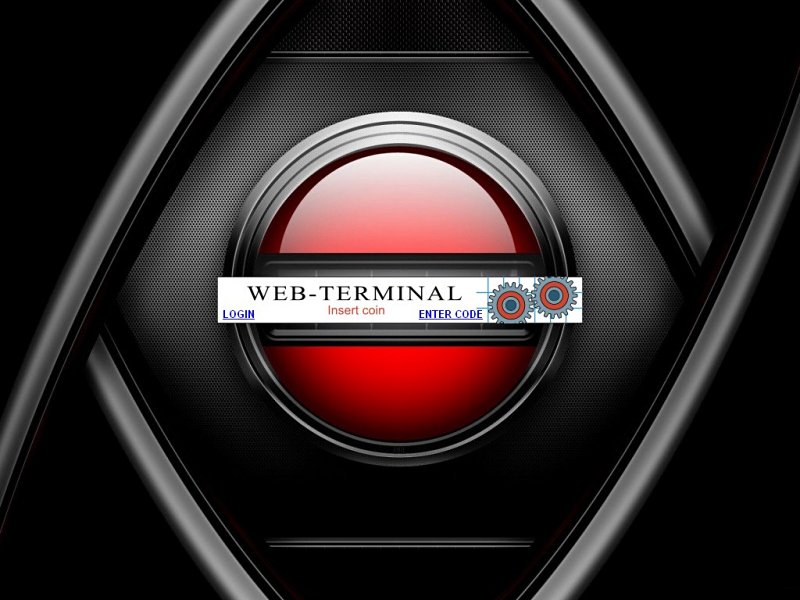
With the kiosk timer internet cafe software you can lock a terminal against unauthorized usage. The terminal is released by throwing in a coin.
Furthermore special Windows key combinations remain deactivated, for example CTRL+ALT+DEL (task manager) or ALT+TAB, the task bar, etc.
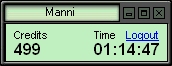
As soon as a customer throws in money the station will unlock and a small status window displays the time still remaining.
You can enter in the configuration program how much time per credit is scored. The connection of coin and bill acceptor is carried out via our CASH-Interface2 or with the coin validator pc adapter.
As long as the user has credits he can surf thru the internet, write e-mails, or use installed programs like
VideoPoker, terminal games or others. With the start of VideoPoker the kiosk timer submits the kiosk credits to the game. Finishing the game, remaining credits are submitted again to the kiosk timer.
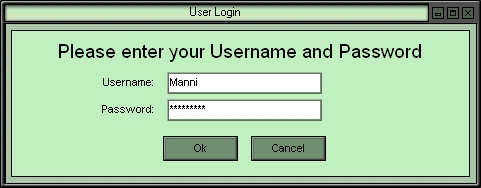
The customer has the possibility of creating a user account. When a customer logged in with his user account he can stop his session at any time and login later again. Remaining Credits are stored on his account. The user accounts work also in a network, so the customer can login on every PC in the network where the kiosk timer is installed.
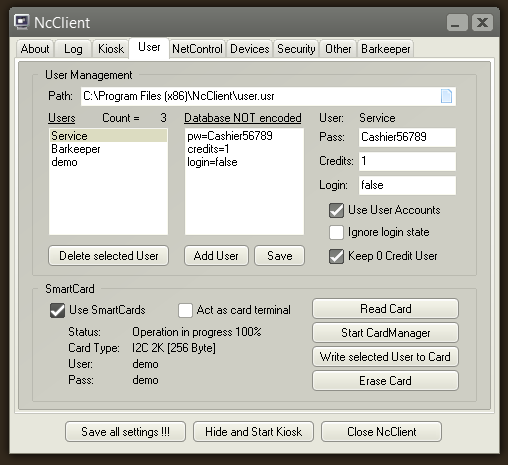
The kiosk timer internet cafe software supports also smartcards. The user account is stored on a smartcard and the customer can log in to the system by inserting the smartcard.
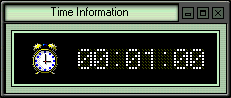
The terminal will lock automatically if all credits are used up. When there is a remaining time of 60 seconds or less left, the display changes to red. Also a time information window is shown for 5 seconds and signals to insert more coins. During the last 15 seconds of time credits there is also a signal sound.
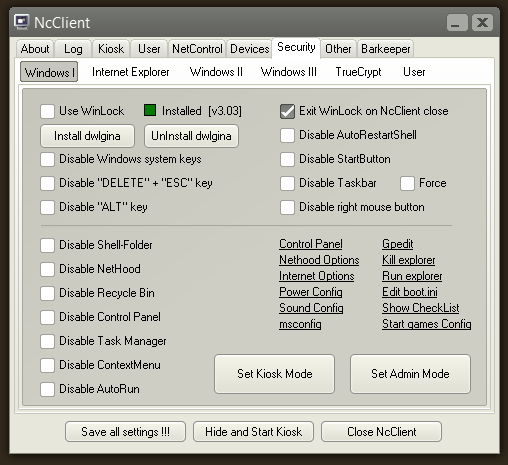
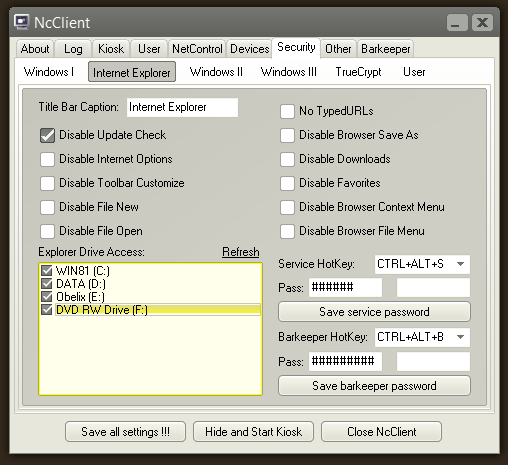
With the kiosk timer internet cafe software it is also possible to change directly the most important safety attitudes of the Internet Explorer. The user has no more access to the browser attitudes. The kiosk software also offers the possibility to deaktivate the whole task bar inclusive windows start button and the right mouse button (context menu). The user can launch only programs available on the desktop. Access to Windows settings is completely restricted.
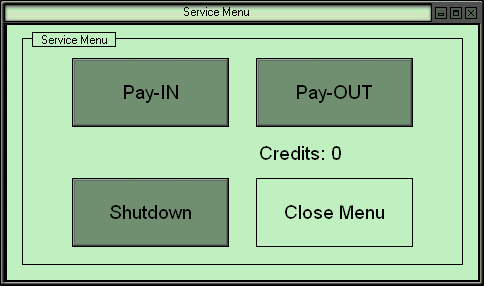
Further Extras are e.g. key switch to open a service menu (noncash PayIn / PayOut),
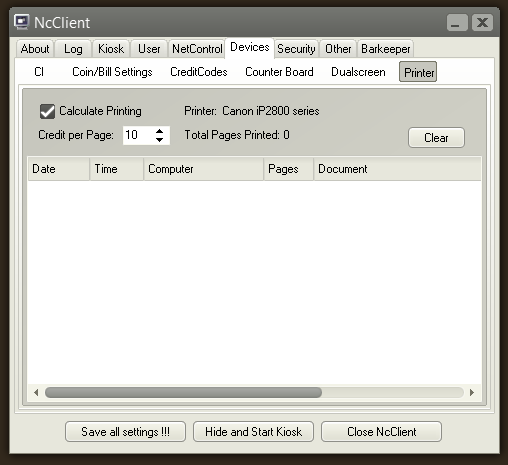
NetControl functionality, price attitudes, calculate printing, german or english user language, and many more...
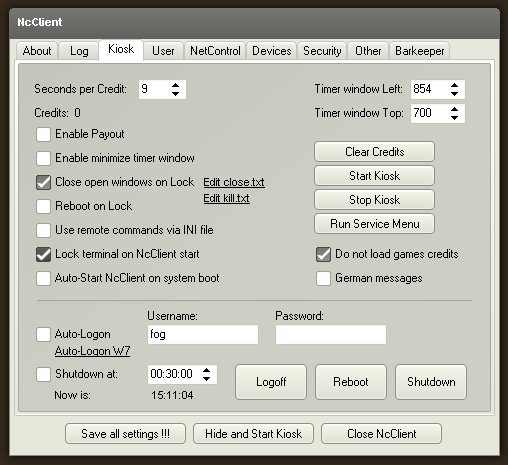
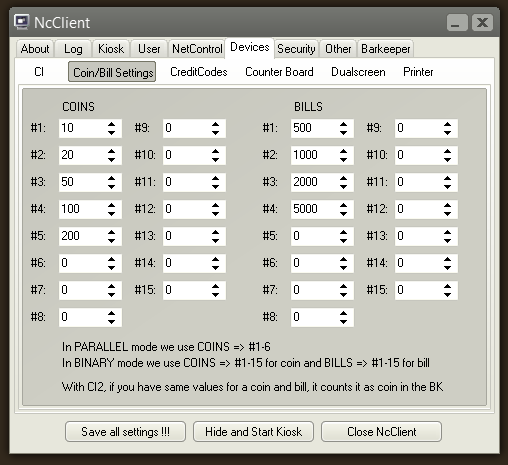
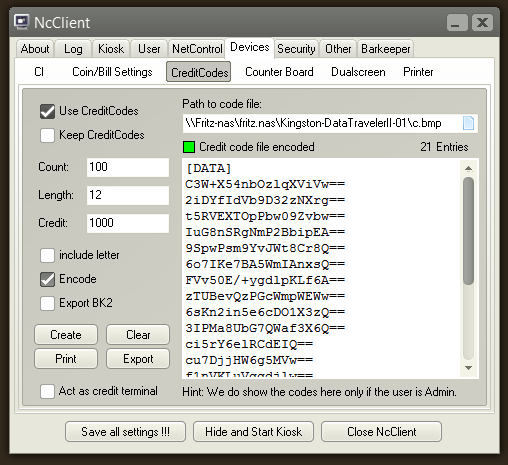
Kiosk timer internet cafe software Admin area screenshots:
Main settings
Coin + bill settings
Credit codes settings
Print costs settings
Security settings I
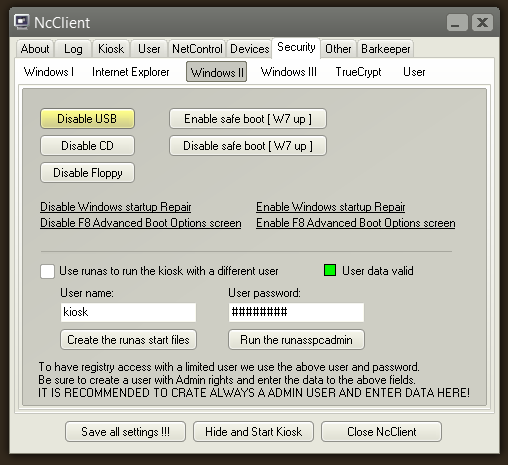
Security settings II
Security settings Explorer
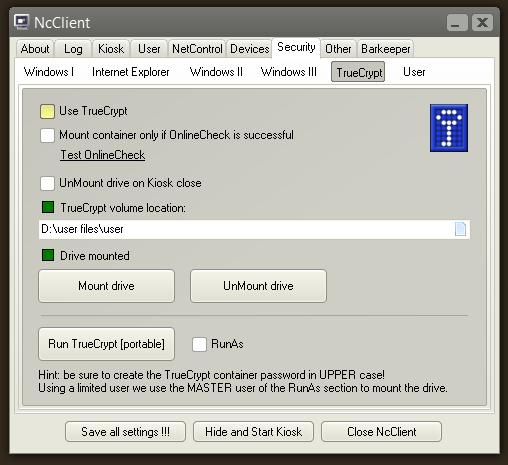
Security settings TrueCrypt
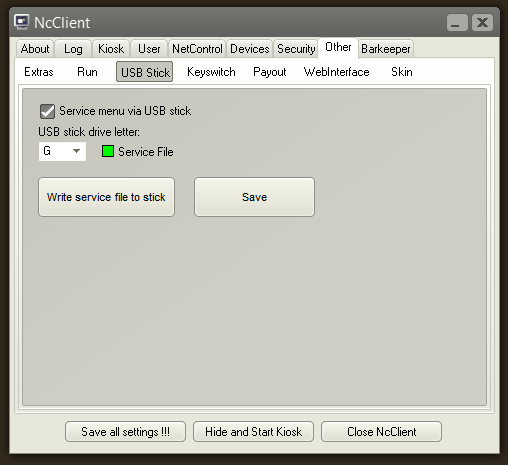
USB stick - service
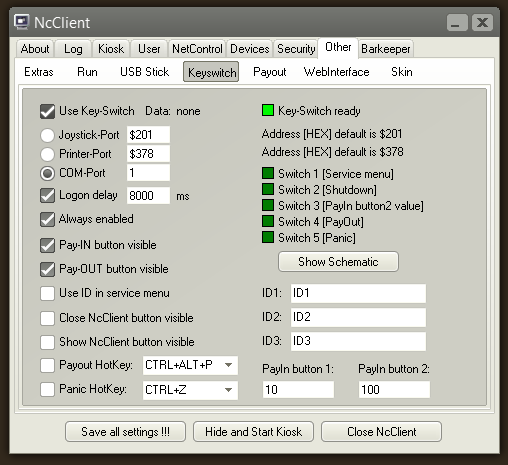
Key switch - service
User management + smart card
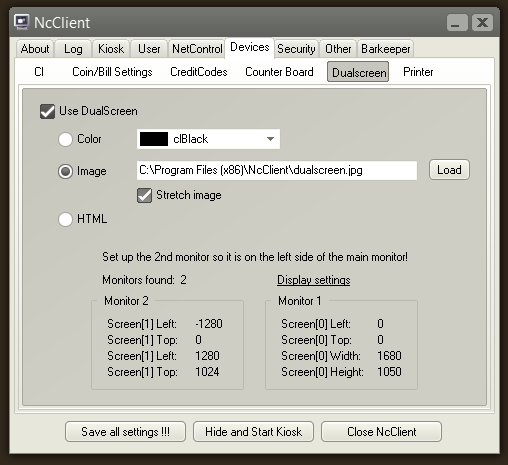
Dual screen settings
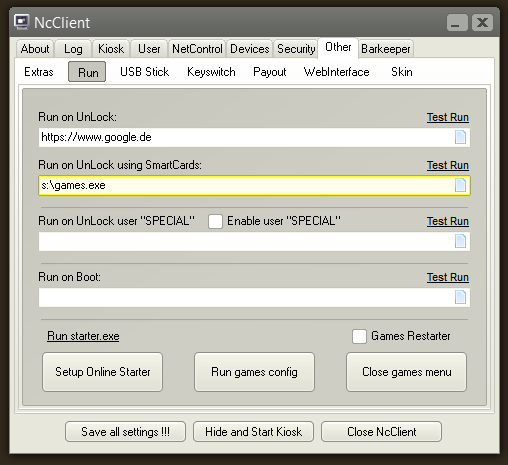
Run settings
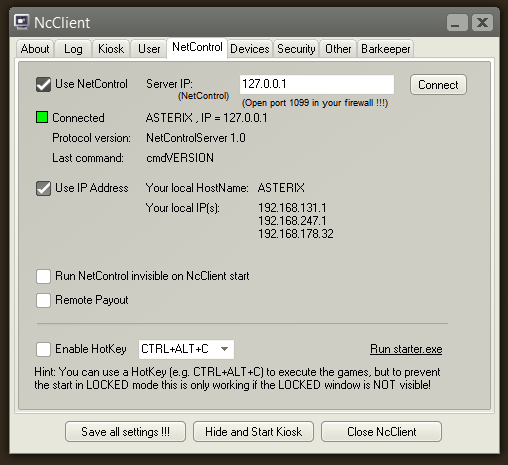
NetControl settings
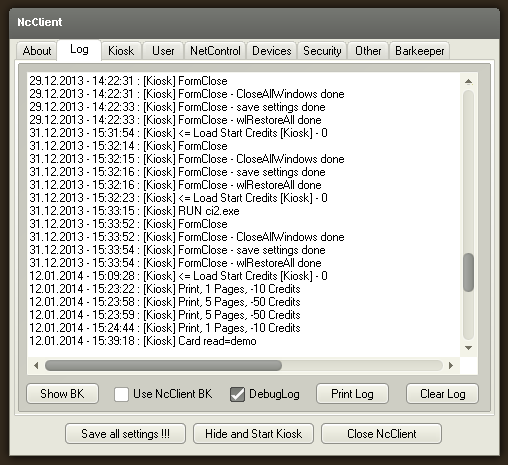
Kiosk log file
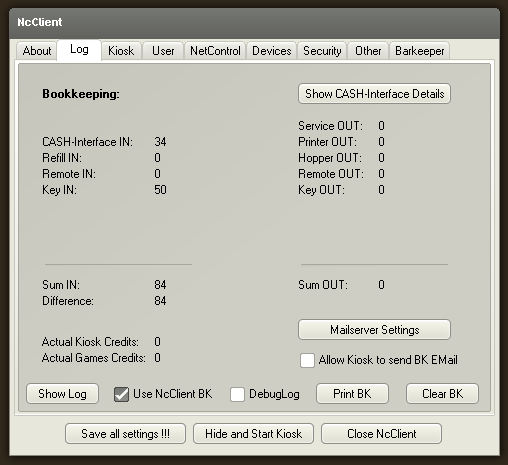
Kiosk bookkeeping
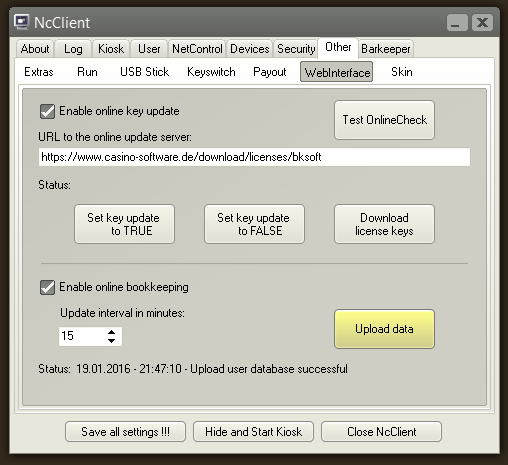
Kiosk webinterface
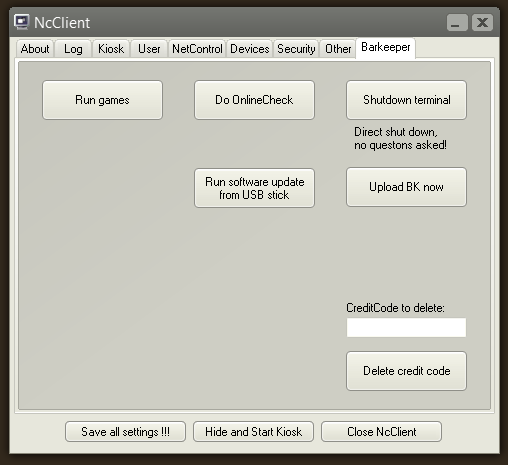
Kiosk barkeeper service
The kiosk timer internet cafe software is also available as economically lite version! Differences standard and lite edition:
Feature
Standard
Lite
CASH-Interface / Coin validator PC adapter
X
X
Credit codes
X
Credit code terminal function
X
Print costs
X
X
Security I + II + Explorer
X
X
Security TrueCrypt
X
USB stick
X
Key switch
X
User management
X
X
Smart cards + card manager software
X
Dual screen
X
Run programs on unlock
X
X
NetControl
X
Log file + bookkeeping
X
X
Fully functional demo version
NcClient - version history
Latest Version: 6.4.1.3
Date: 08.07.2020
Legend:
+ new function
- fixed an error
* changed behavior
> Version 6.4.1.3 (08.07.2020)
- fixed an error on program close
* latest AlphaSkins v15.11
* minor optimizations
> Version 6.3.9.1 (24.06.2020)
- Setup can close used files that need to be updated
* latest AlphaSkins v15.10
* latest ssl dlls v1.0.2.21 included
* minor optimizations
> Version 6.3.5.1 (10.12.2018)
* latest AlphaSkins v14.11
* latest ssl dlls v1.0.2.16 included
> Version 6.3.3.1 (10.07.2018)
* latest AlphaSkins v13.16
* latest ssl dlls v1.0.2.15 included
> Version 6.3.1.1 (09.04.2018)
+ Setup and all exe files are now digitally code signed
* latest AlphaSkins v13.05
> Version 6.2.9.1 (28.03.2018)
* set shell fix for latest Win10 version
* Admintool set shell fix for latest Win10 version
* latest AlphaSkins v13.04
> Version 6.2.7.1 (11.03.2018)
* latest AlphaSkins v13.02
* minor optimizations
> Version 6.2.6.1 (09.01.2018)
* latest AlphaSkins v12.22
* latest Indy v10.6.2.5428
* latest ssl dlls v1.0.2.13 included
* minor optimizations
> Version 6.2.3.1 (16.06.2017)
+ kioskstart.exe checks NcClient is running already
+ UninstallCleaner deletes also old registry RUN entries
* latest AlphaSkins v12.12
* latest Indy v10.6.2.5424
* latest ssl dlls v1.0.2.12 included
> Version 6.2.2.1 (25.04.2017)
* latest AlphaSkins v12.06
* latest Indy v10.6.2.5413
* latest ssl dlls v1.0.2.11 included
> Version 6.2.1.1 (07.02.2017)
+ Run TotalCommander via link
+ Run Network And Sharing Center via link
+ AdminTool set kioskstart.exe or explorer.exe as shell via link
* automatically refresh drive list box
* Autostart via kioskstart.exe only
* latest AlphaSkins v11.25
* latest Indy v10.6.2.5379
* auto login via "control userpasswords2" or "Login tool" only
> Version 6.1.7.1 (09.11.2016)
* latest AlphaSkins v11.19
> Version 6.1.6.1 (03.11.2016)
* latest Indy v10.6.2.5375
* latest ssl dlls v1.0.2.10 included
* minor optimizations
> Version 6.1.5.1 (27.10.2016)
* NcClient must run as administrator again
* latest AlphaSkins v11.18
* minor optimizations
> Version 6.1.4.1 (14.10.2016)
* latest AlphaSkins v11.17
* minor optimizations
+ new skin selector
+ Sound volume slider for barkeeper
> Version 6.1.3.1 (03.10.2016)
- Fixed a problem with send hardware-id email
- Fixed a problem with spin edit
- Fixed a problem with backup file
* latest AlphaSkins v11.16
* latest Indy v10.6.2.5369
* latest ssl dlls v1.0.2.9 included
> Version 5.9.9.1 (24.09.2016)
* USB stick for service menu optimized
* latest AlphaSkins v11.15
* latest Indy v10.6.2.5366
> Version 5.9.7.1 (12.08.2016)
* latest AlphaSkins v11.12
> Version 5.9.6.1 (08.08.2016)
* Start parameter optimized
> Version 5.9.5.1 (28.07.2016)
* Shellexecute optimized
> Version 5.9.4.1 (27.07.2016)
* Service login optimized
* latest AlphaSkins v11.11
> Version 5.9.2.1 (30.05.2016)
* latest AlphaSkins v11.02
> Version 5.9.1.1 (24.05.2016)
* Small fixes and improvements
> Version 5.8.9.1 (19.05.2016)
* latest AlphaSkins v11.01
* latest Indy v10.6.2.5360
* latest ssl dlls v1.0.2.8 included
> Version 5.8.8.1 (18.05.2016)
+ removed new memory manager extension
* Small fixes and improvements
> Version 5.8.7.1 (07.05.2016)
+ added new memory manager extension
* eureka log settings improved
* latest AlphaSkins v10.29
> Version 5.8.5.1 (19.04.2016)
+ Manually backup ncclient.ini
+ Log NcClient bootstart
* latest AlphaSkins v10.28
* Small fixes and improvements
> Version 5.8.4.1 (04.04.2016)
- fixed backup path for user database
* latest AlphaSkins v10.27
* latest Indy v10.6.2.5353
* Small fixes and improvements
> Version 5.8.2.1 (15.03.2016)
+ new Windows Info page, e.g. showing user is admin
+ added run userpasswords2 command to set auto logon
* new impersonate function working on Win7 up
* changed read and write access for data files
- fixed disable/enable startup repair
> Version 5.7.9.1 (09.03.2016)
* load user database only when needed
* optimized backup of user database
* removed user Service from user database
* removed user Barkeeper from user database
* latest ssl dlls v1.0.2.7 included
* latest Indy v10.6.2.5344
* Small fixes and improvements
> Version 5.7.6.1 (15.02.2016)
* latest ssl dlls v1.0.2.6 included
* latest Indy v10.6.2.5339
> Version 5.7.5.1 (10.02.2016)
* Default installations path is now c:\NcClient
because of write permission problems in "program files" directory
* all data files stored now in COMMON_APPDATA directory
* latest AlphaSkins v10.25
> Version 5.7.4.1 (01.02.2016)
+ Kiosk mode set UAC to level 4 => Never notify
> Version 5.7.3.1 (25.01.2016)
+ Start as Windows Shell optimized
+ HotKey PANIC adjustable
+ Disable WINDOWS key via key mapping
+ Enable/Disable F8 Advanced Boot Options
+ Enable/Disable Windows Startup Repair
+ Admintool => Enter NcClient license manually
+ Admintool => Close kioskstart
+ Admintool => Show/Hide taskbar
+ Kioskstart => disable taskbar
- fixed double log entry for cash in if games not installed
* Using COIN-Adapter, log shows COIN-Adapter instead of CASH-Interface
* Icon 48x48 included
* small optimizations
* latest Indy v10.6.2.5335
> Version 5.7.2.1 (03.01.2016)
+ HotKey SERVICE adjustable
+ HotKey BARKEEPER adjustable
+ HotKey PAYOUT adjustable
+ Disable ALT key
+ Force task bar
+ kioskstart.exe => force disable task bar
- fixed drive access view
* small optimizations
* latest 7za.dll
* latest AlphaSkins v10.23
* latest Indy v10.6.2.5319
> Version 5.6.8.1 (11.12.2015)
+ Windows 10 compatible
* small optimizations
* latest AlphaSkins v10.22
* latest Indy v10.6.2.5317
> Version 5.6.7.1 (28.10.2015)
* data file only opened once
* small optimizations
* latest Indy v10.6.2.5313
> Version 5.6.6.1 (21.10.2015)
+ barkeeper run games button on/off
+ set keyswitch pay in value
- keyswitch LPT payout fixed
- keyswitch LPT bk games fixed
* kiosk key switch off on games start
* latest AlphaSkins v10.19
* small optimizations
> Version 5.6.4.1 (17.10.2015)
+ User SPECIAL can have different password
and can be completely deactivated
+ SERVICE menu "Run Games" button
* New LOCKED sound
* New add credits sound
* latest Indy v10.6.2.5309
> Version 5.6.3.1 (12.10.2015)
* small optimizations
* latest AlphaSkins v10.18
* latest Indy v10.6.2.5307
> Version 5.3.2.1 (25.02.2015)
* latest AlphaSkins v10.00
> Version 5.3.1.1 (20.02.2014)
+ msconfig link
+ Autostart on Win8 and above via kioskstart.exe only
+ HotKey games adjustable
* format date and time, using always hh:nn:ss
* WinLock optimized
* NetControl error reconnect timer set to 15 sec.
* latest AlphaSkins v9.20
* latest Indy v10.6.2.5259
* latest ssl dlls v1.0.2.0 included
> Version 5.2.8.1 (28.01.2015)
* Autologon W7/8 tool included
> Version 5.2.7.1 (21.01.2015)
- cardmanager.exe fix
* SCard wrapper setup included
> Version 5.2.6.1 (02.01.2015)
- key update games using truecrypt container
- auto logon W7/8 netplwiz link
> Version 5.2.5.1 (17.12.2014)
* because of anti virus false alert removed
logoff.exe
reboot.exe
shutdown.exe
using windows shutdown instead
* latest AlphaSkins v9.19
> Version 5.2.4.1 (07.12.2014)
* latest Indy v10.6.1.5218
* latest ssl dlls v1.0.1.10 included
* RUN open dialog stay on top
> Version 5.2.3.1 (22.11.2014)
+ Wait if user database is locked
- Keep path if user database does not exists
- Keep path if credit code file does not exists
* Separate backup file user database with date + time
* latest AlphaSkins v9.18
> Version 5.2.2.1 (18.08.2014)
- log off and create user, user already exists message shown on top
> Version 5.2.1.1 (04.08.2014)
* latest ssl dlls included
* latest Indy v10.6.0.5162
* new setup routine
* small optimizations Win8.1
> Version 4.8.7.1 (20.12.2013)
* small optimizations using NcClient as a smart card terminal
+ CardManager IN + OUT data upload for web-interface
+ CardManager IN + OUT data stored for web-interface
+ CardManager user login=true state detection
- CardManager double-click user to change login state
> Version 4.8.6.1 (18.12.2013)
* small optimizations
> Version 4.8.5.1 (05.12.2013)
* latest AlphaSkins v8.51
* small optimizations
> Version 4.8.4.1 (29.11.2013)
- Log-off on smart card remove
* latest AlphaSkins v8.50
> Version 4.8.3.1 (19.11.2013)
* latest AlphaSkins v8.49
* small optimizations
> Version 4.8.2.1 (22.10.2013)
* latest AlphaSkins v8.47
* small optimizations
> Version 4.7.5.1 (14.08.2013)
* Allow screen saver in LOCKED mode
> Version 4.7.4.1 (06.08.2013)
+ games kiosk timer setting
> Version 4.7.2.1 (23.07.2013)
* small optimizations
> Version 4.7.1.1 (18.07.2013)
* Run NetControl optimized
> Version 4.6.8.1 (11.07.2013)
- fixed shut-down time and backup time if time format is not hh:mm:ss
> Version 4.6.5.1 (25.06.2013)
+ Printer payout with barcode
+ delete credit code by right mouse click in credit code list
+ delete credit code in barkeeper service window
+ added starter.exe
+ added web-interface upload for credit code file and user database
- fixed user login for barkeeper
* barkeeper service tab always visible
* optimized run of online starter
* HotKey CTRL+ALT+C only active if activated, needed when using starter.exe
> Version 4.6.4.1 (11.06.2013)
- fixed re-map ESC and DEL on XP
> Version 4.6.3.1 (11.06.2013)
+ disable "ESC", map ESC to LEFT SHIFT => prevents CTRL+SHIFT+ESC for Task manager
* disable Task manager for HKEY_LOCAL_MACHINE and HKEY_CURRENT_USER
* new background picture for LOCKED mode, uses back.bmp in NcClient folder
* security functions are working without enabling the "Use WinLock" checkbox
- fixed a double "" when set a shell where complete path contains SPACES
> Version 4.6.2.1 (09.06.2013)
+ online check SSL compatible, https URL supported
+ online key update SSL compatible, https URL supported
+ online key update is checked and done if activated with every bk upload
+ bk upload SSL compatible, https URL supported
* latest AlphaSkins v8.35
> Version 4.5.8.1 (13.05.2013)
- fixed a protection problem when you add credits to the kiosk
- fixed backup function for ncclient.ini
> Version 4.5.7.1 (06.05.2013)
* ForceForegroundWindow for every Login window
* Barkeeper Login screen removed maximize, minimize window
* All windows default monitor changed from desktop to primary
- fixed lose focus in create new user window
> Version 4.5.6.1 (26.04.2013)
+ Debug log shows every ShellExecute + result on error
* Forms are always repainted on show
* Removed the X button to prevent close NcClient via barkeeper
* added smart card activated check
* added multimedia system check
- Fixed minimize timer window setting
- Fixed CI2 bookkeeping if coin and bill have same values
> Version 4.5.5.1 (23.04.2013)
* added com port exists check for:
COIN-Adapter,
CASH-Interface,
CASH-Interface2,
KeySwitch
* added SmartCard reader connected check
* optimized Socket connection to NetControl
- fixed start of CardManager
> Version 4.5.3.1 (18.04.2013)
+ added version history file
+ added key-switch panic button com port pin 1
Scope of supply kiosk timer internet cafe software lite edition:
- Kiosk timer software Price per piece: 14,95 EUR
WebShop
Scope of supply kiosk timer internet cafe software standard edition:
- Kiosk timer software Price per piece: 19,95 EUR
WebShop
Scope of supply COIN-Package 3:
- Coin validator PC adapter
- Flat ribbon cable for coin validator (10pol., 0,8m)
- SUB-D cable for PC connection (9pol., m/f, 1,8m)
- Y-cable for PC power supply (4pol.)
- Kiosk timer software (Lite version single license)
Price per piece: 39,95 EUR
WebShop
Scope of supply COIN-Package 4:
- Coin validator PC adapter
- Flat ribbon cable for coin validator (10pol., 0,8m)
- SUB-D cable for PC connection (9pol., m/f, 1,8m)
- Y-cable for PC power supply (4pol.)
- Kiosk timer software (Lite version single license)
- Coin validator RM5 incl. front panel
Price per piece: 149,95 EUR
WebShop
Please place your order via the WebShop
Please send us your inquiry via
E-Mail form

 As long as the user has credits he can surf thru the internet, write e-mails, or use installed programs like
VideoPoker, terminal games or others. With the start of VideoPoker the kiosk timer submits the kiosk credits to the game. Finishing the game, remaining credits are submitted again to the kiosk timer.
As long as the user has credits he can surf thru the internet, write e-mails, or use installed programs like
VideoPoker, terminal games or others. With the start of VideoPoker the kiosk timer submits the kiosk credits to the game. Finishing the game, remaining credits are submitted again to the kiosk timer.
 The terminal will lock automatically if all credits are used up. When there is a remaining time of 60 seconds or less left, the display changes to red. Also a time information window is shown for 5 seconds and signals to insert more coins. During the last 15 seconds of time credits there is also a signal sound.